CommunityOne features

The operating pieces a community needs, without portal sprawl.

CommunityOne brings dues visibility, records, requests, documents, meetings, announcements, and resident self-service into one role-aware community workspace. Start with the urgent community job, then expand without rebuilding the community record.

Feature architecture
Four surfaces, one community record
1

Board tools

Meetings, records, requests, dues visibility, announcements, and governance follow-up.

2

Member clarity

Resident-facing access to relevant documents, balances, requests, and updates.

3

Admin controls

Role-aware management, community setup, billing posture, and recovery guidance.

4

Operating spine

Shared identity, records, payments, and audit posture behind each CommunityOne entry path.

Dues and payments

Make payment truth visible without turning the product into an accounting maze.

CommunityOne dues surfaces focus on payable balances, provider-confirmed checkout readiness, posted receipts, reminder preference records, and admin visibility so boards and residents can agree on what is owed and what happened.

Records and documents

Keep the community memory attached to the association.

Documents, notices, meeting context, board decisions, and operating records stay organized around the community instead of disappearing into volunteer inboxes and handoffs.

Requests and follow-up

Turn scattered resident messages into visible work.

Requests and board tasks can be tracked with clearer ownership and history, helping boards reduce repeat questions and missed follow-up.

Resident portal

Give members one place to understand what is happening.

Residents can find the right updates, documents, dues context, and request paths from a role-aware portal rather than relying on fragmented emails and informal channels.

Product proof

See the actual CommunityOne surfaces behind the feature list.

The feature page now shows concrete screens for the directory, property records, meetings, documents, violations, and request workflows instead of relying only on abstract benefit cards.

Actual CommunityOne screenshot · light theme
CommunityOne member directory showing resident and board member records.
Actual directory pattern

Member directory

Keeps owner, co-owner, tenant, and absentee-owner context together for board follow-up.

60
Contacts
50
Households
5
Absentee
Actual CommunityOne screenshot · light theme
CommunityOne property directory showing lots, parcel context, and community property records.
Actual property context

Property directory

Gives boards a property spine for parcels, occupancy, mailing differences, and common-area records.

50
Properties
2
Common areas
2
Vacant
Actual CommunityOne screenshot · light theme
CommunityOne meetings screen showing board meeting records and meeting workflow context.
Actual meeting record

Meetings

Keeps agendas, minutes, board-only sessions, and resident-visible meetings tied to the association record.

6
Meetings
2
Completed
4
Scheduled
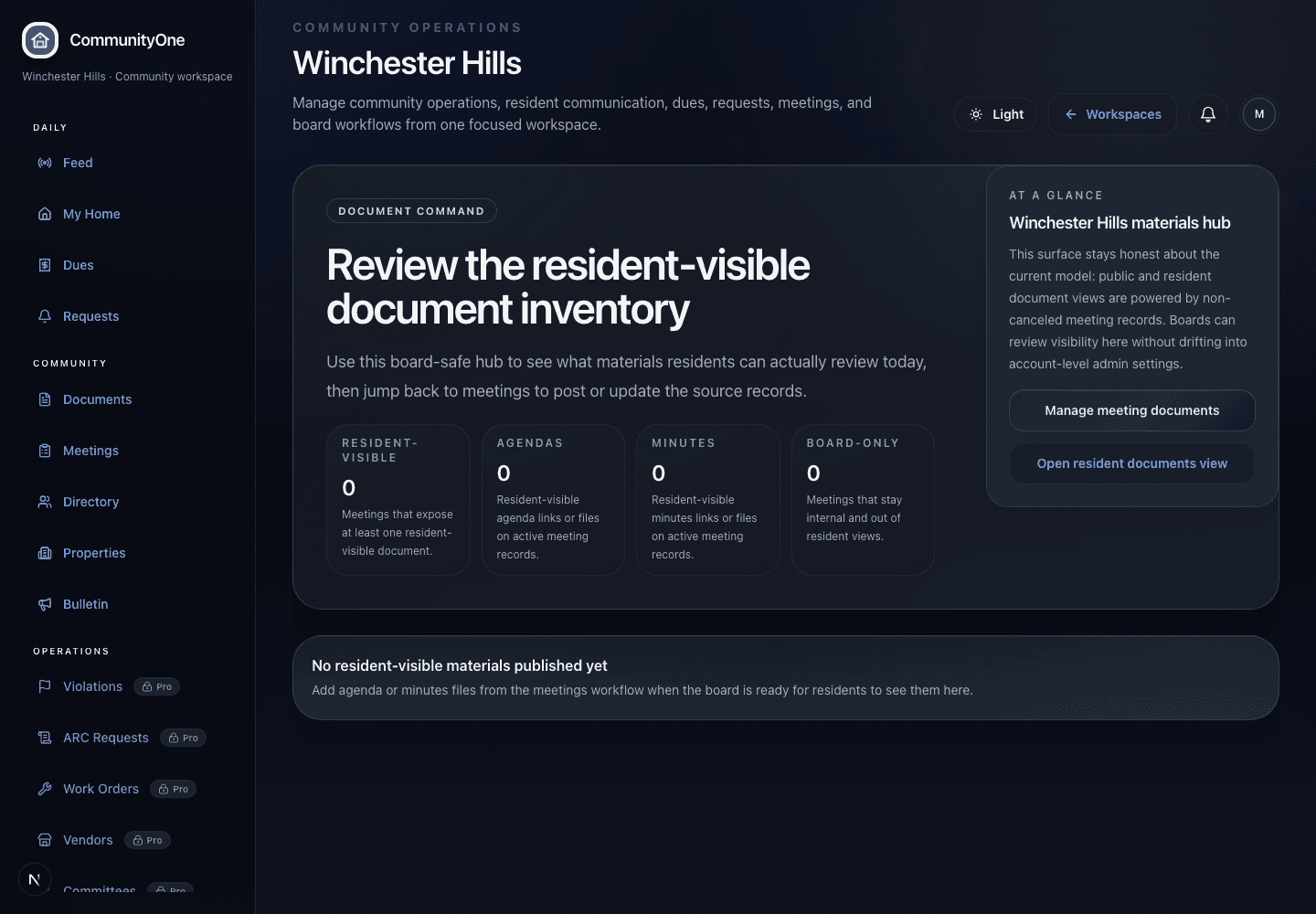
Actual CommunityOne screenshot · dark theme
CommunityOne documents screen showing governing document and meeting material organization.
Actual document structure

Documents

Shows residents where CC&Rs, bylaws, rules, budgets, minutes, and committee records belong.

7
Folders
7
Resident visible
Truthful
Claims
Actual CommunityOne screenshot · light theme
CommunityOne violations feature surface showing the current real product state for covenant follow-up.
Actual covenant workflow

Violations

Turns ordinary HOA follow-up into visible, tasteful records instead of scattered emails.

6
Examples
2
Open
2
Resolved
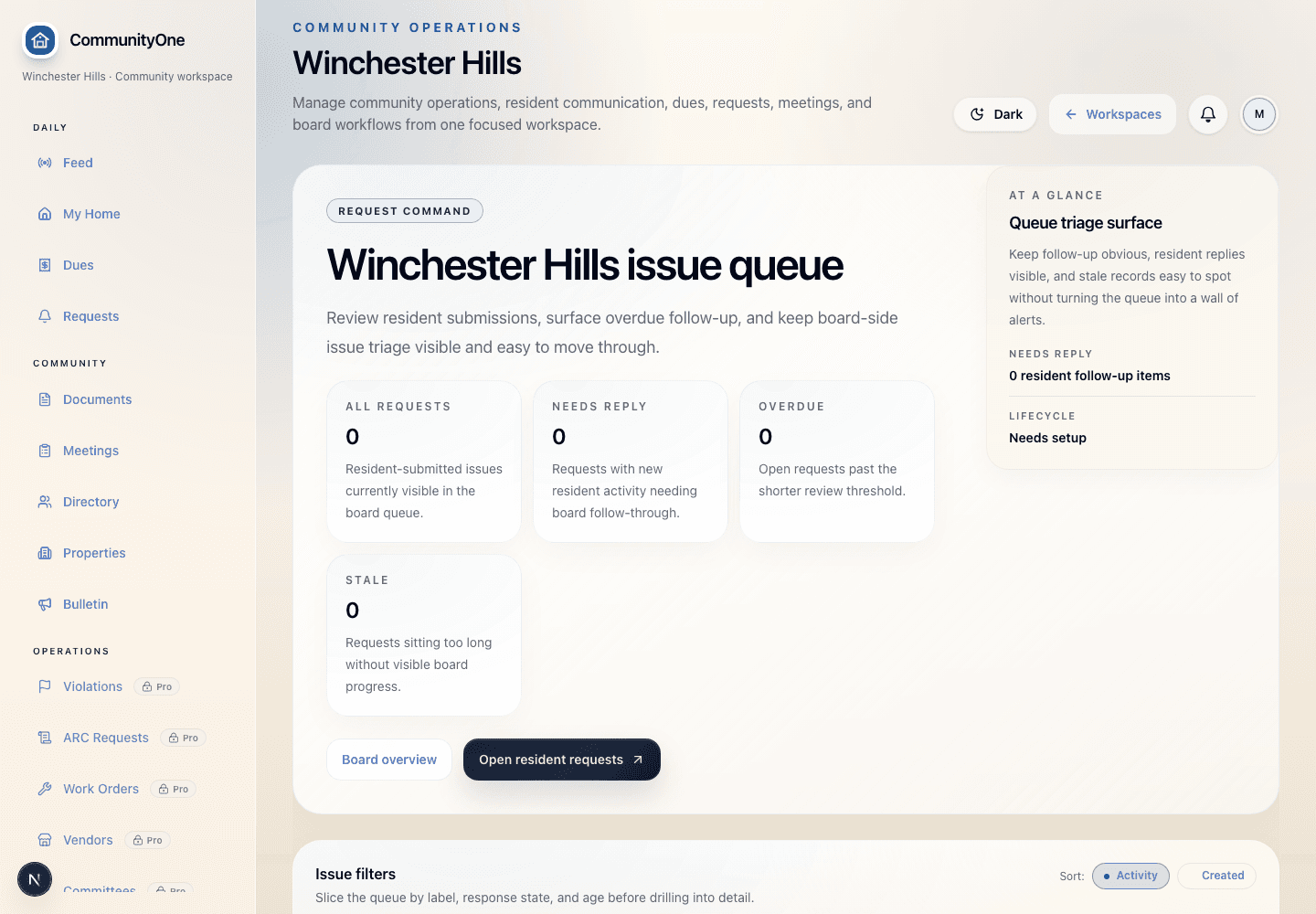
Actual CommunityOne screenshot · light theme
CommunityOne work orders and requests screen showing active resident and maintenance requests.
Actual request workflow

Work orders & requests

Moves resident requests, maintenance items, ARC questions, and board responses out of inbox chaos.

8
Requests
6
Labels
4
Board replied
Start narrow

Essentials can be the first CommunityOne job

Boards that need dues clarity first can begin with members, properties, documents, meetings, payment instructions, posted receipts, offline receipt records, and admin visibility.

Expand carefully

Pro gives homeowners one trusted front door

Smaller communities can add resident communication, announcements, meeting visibility, and resident-safe records without jumping immediately into deeper operating workflows.

Go deeper

Complete supports deeper neighborhood operations

Associations that need requests, board follow-up, property context, and stronger continuity can use the guided Complete package.

Scope by package

Start where the board feels pain, then expand without splitting the record.

CommunityOne can start with Essentials, expand to Pro when resident communication is the priority, or use Complete for deeper neighborhood operations. The important guardrail is keeping each package honest about what it includes today.

Essentials

Boards that need dues clarity, records, meetings, documents, and one practical place to run the association.

Compare
Included focus

Board/admin workspace, Members and properties, Dues visibility and receipts, Documents, meetings, and announcements

Availability

Founder-beta setup available; SuiteOne helps confirm dues, records, meetings, and board access before launch.

Boundary

Essentials is not a full accounting replacement or broad automation package; Pro and Complete add communication and deeper workflows.

Pro

Associations where resident communication, announcements, meeting visibility, and homeowner clarity are the priority.

Compare
Included focus

Resident front door, Announcements and updates, Resident-safe records, Meeting visibility

Availability

Founder-beta setup available; use Pro when homeowner communication and request visibility matter.

Boundary

Pro keeps everyone informed; request lifecycle and deeper board operations belong in Complete.

Complete

Associations that need requests, board follow-up, property context, and deeper operating continuity.

Compare
Included focus

Requests and board queue, Property operating context, Deeper board workflows, Guided approvals where supported

Availability

Use Complete when the board needs deeper HOA operations beyond dues, records, and updates.

Boundary

Complete remains guided and should only promise approvals, violations, or reservations where supported and scoped.

Feature clarity

Features should answer everyday HOA problems.

Each feature should make a board task easier: collect dues, organize records, communicate with homeowners, track requests, or manage association operations without losing context during board turnover.

Clear first job

Essentials, Pro, or Complete can be the right starting plan depending on the board's actual need.

Role-aware access

Board, member, manager, and admin work stays separated.

Durable memory

Records survive volunteer rotation and inbox churn.

Upgrade path

New workflows stay in the same CommunityOne workspace.

Next move

Choose the plan that solves the board problem first.

Compare Essentials, Pro, and Complete, then bring role, security, and setup questions into the walkthrough so the first plan matches your association's real work.

Next move

Start with the CommunityOne scope that fits first.

Use the same CommunityOne foundation whether the first rollout is Essentials, Pro, or Complete. Scoped starts are fit-guided; the CommunityOne trial remains a guided setup path, not a claim that every account already has an active workspace.